
This endpoint returns the locations that match a partial string passed as query parameter (query) or matches exactly a specific field (locode, iataCode or postalCode). Only one of these fields must be used in a request.
Locations returned can be either airport, port, zipcode, railTerminal or roadTerminal.
The query parameter locationTypes allows to filter the types returned. A list of values can be passed among port,airport,zipcode,railTerminal, roadTerminal.
If this parameter is not passed in the query, all the types will be searched.
The query parameter sizes allows to filter the sizes of the locations returned for ports and airports.
The results are returned with this priority order : port > airport > railTerminal > zipcode > roadTerminal.
For each location, geometry (coordinates) is returned as well as properties fields. These fields differ according to the type of the location.
For airports : name, locode, size, iataCode, countryName, countryCode (as a two letters code).
For zipcodes : name, country, countryName, postalCode, stateCode, stateName, countyCode, countyName.
For ports : name, locode, size, country, countryName, subdivisionCode, subdivisionName.
For ports, rail terminals and road terminals : name, locode, country, countryName, subdivisionCode, subdivisionName.
| API Key | Label | Last Used | |
|---|---|---|---|
🗝️ How to start testing Searoutes' APIs?
Explore our APIs seamlessly with your API key: feel free to try it out by copying the code samples in your shell, your favourite editor, or API development platform.
1️⃣ Request a trial API Key
- Submit a request to our team and we'll review it. Once approved, you will receive your API access details.
2️⃣ Log in to start testing
Once you log in, copy and paste your API key in the right panel of this page (Authentication).
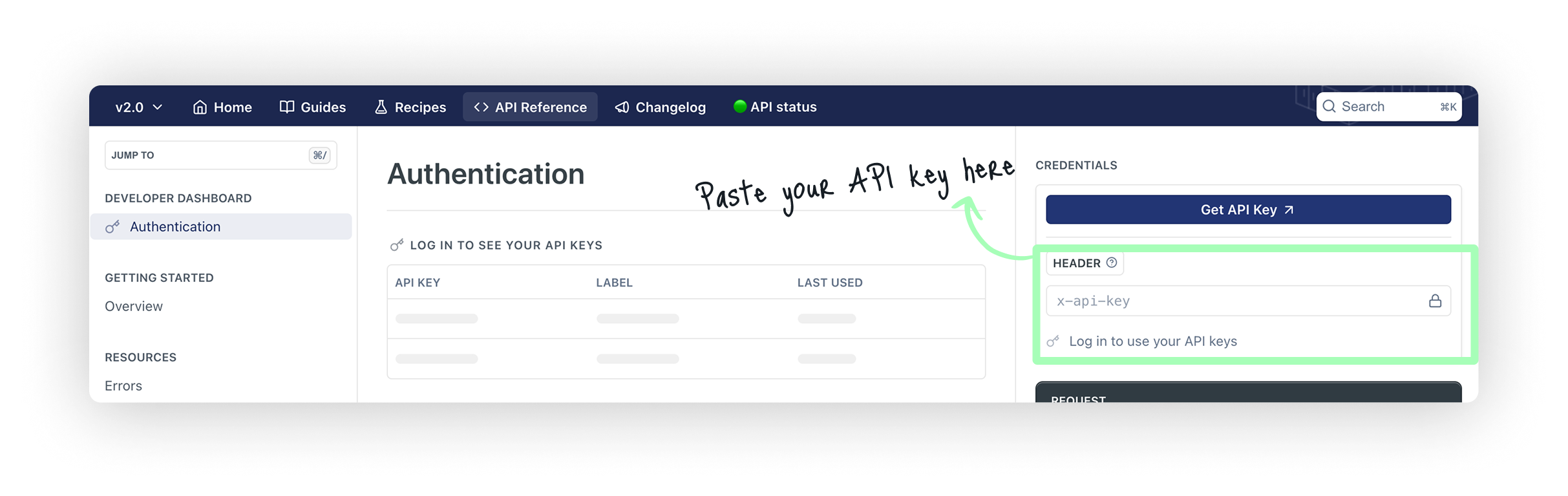
The API key will remain in the Authorisation Header of any documentation page, any time you are logged-in.
If you do not see it, you can copy/paste it in any of the Authorisation headers of any of our API pages.
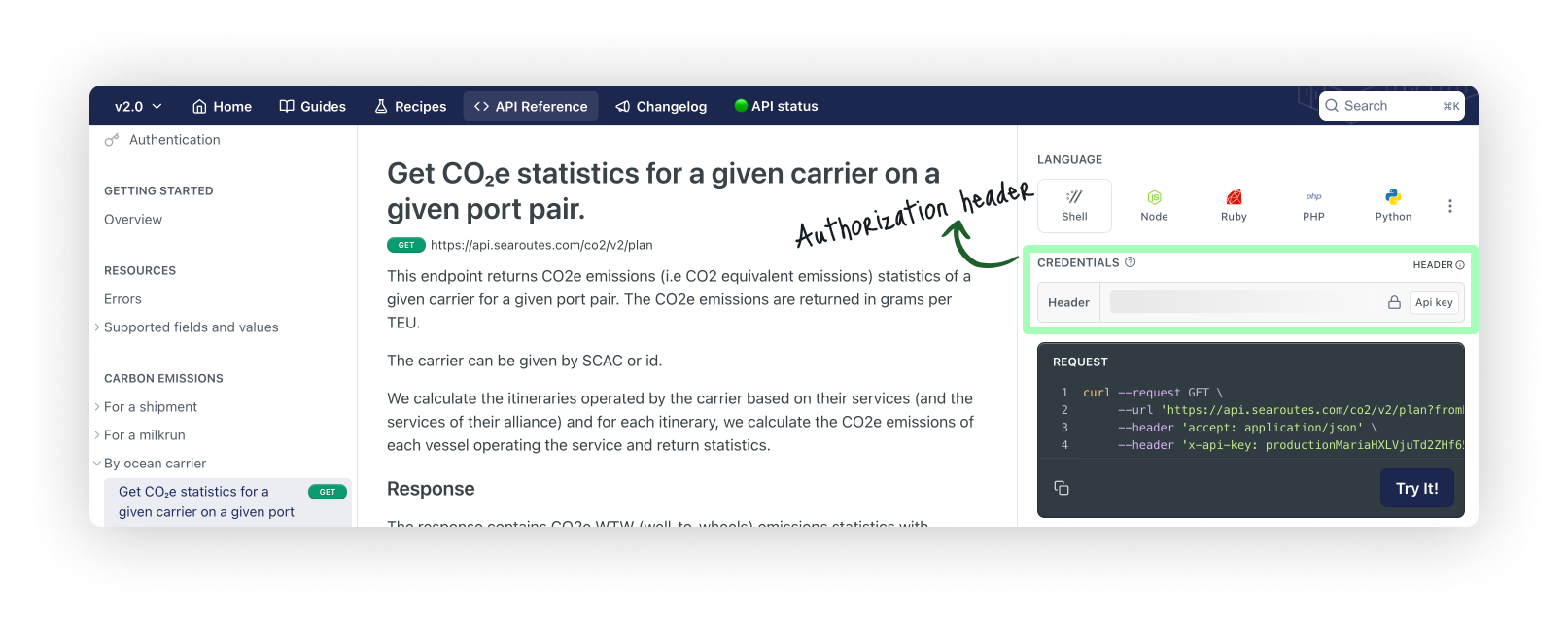
Avoid disclosing your API key in publicly accessible platforms or through client-side code.
Need help getting started with your API key?If you have any questions or need help getting started with our APIs, feel free to email us at:[email protected]
Making your first call 🔍
You can make your test cURL call either through the Searoutes API Explorer, which is easiest, or through your command line if you have cURL installed.
When using the command line, your request will look like this
curl --request GET \
  --url 'https://api.searoutes.com/geocoding/v2/port/hamburg' \
  --header 'x-api-key: <your_api_key_here> '